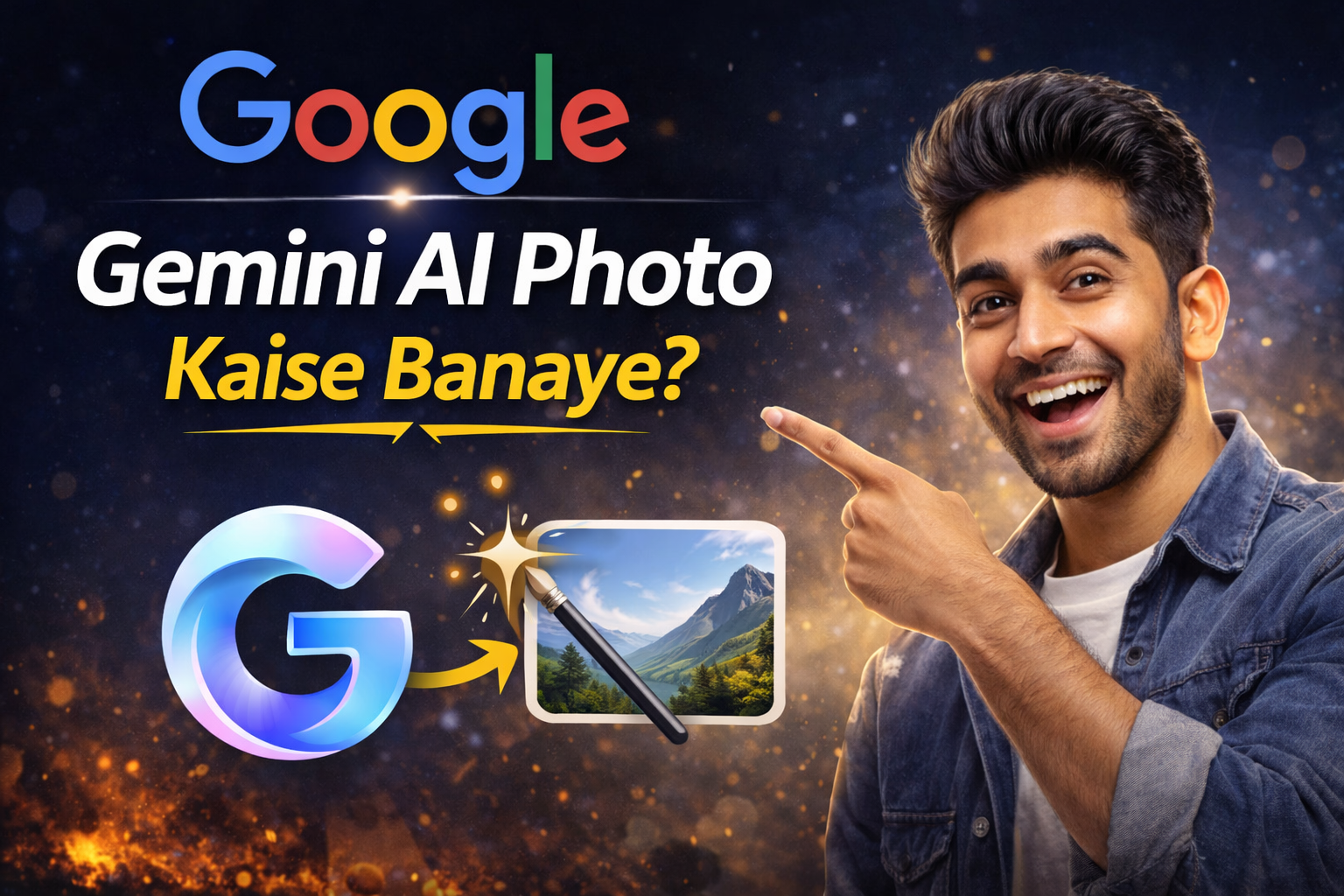
आज के डिजिटल युग में AI Photo Editing और AI Image Generation का ट्रेंड तेजी से बढ़ रहा है। लोग सोशल मीडिया, ब्लॉग, यूट्यूब थंबनेल और इंस्टाग्राम रील्स के लिए यूनिक और हाई-क्वालिटी फोटो बनाना चाहते हैं। इसी जरूरत को पूरा करने के लिए Google Gemini एक बेहतरीन AI टूल के रूप में सामने आया है। Gemini की मदद से आप केवल एक सही Prompt लिखकर Retro Style, Realistic 4K, Cinematic Portrait, Anime Art और Professional DSLR जैसी फोटो कुछ ही सेकंड में बना सकते हैं।
अगर आप भी जानना चाहते हैं कि Google Gemini AI Photo Kaise Banaye, तो यह आर्टिकल आपके लिए पूरी गाइड है। यहां हम आपको स्टेप-बाय-स्टेप तरीका बताएंगे कि Gemini में फोटो कैसे जनरेट करें, कौन-से Prompts सबसे ज्यादा वायरल होते हैं, और 70+ Gemini AI Photo Prompt Copy Paste भी देंगे, जिन्हें आप सीधे इस्तेमाल कर सकते हैं।
आजकल लोग “AI photo kaise banaye”, “Gemini AI prompt copy paste”, “Retro style AI photo prompt”, “Realistic 4K AI image prompt” जैसे कीवर्ड सर्च कर रहे हैं। यदि आप कंटेंट क्रिएटर, ब्लॉगर या सोशल मीडिया इन्फ्लुएंसर हैं, तो यह जानकारी आपके लिए बेहद उपयोगी साबित होगी।
इस गाइड में आपको मिलेगा:
- Gemini AI में फोटो बनाने का आसान तरीका
- 4K और Ultra HD क्वालिटी के लिए सही सेटिंग
- Retro, Realistic और Cinematic स्टाइल के ट्रेंडिंग प्रॉम्प्ट
- Copy Paste Ready 70+ AI Prompts
तो चलिए बिना समय गंवाए जानते हैं कि Google Gemini AI से शानदार और वायरल फोटो कैसे बनाई जाती है।
इन्हीं tools में सबसे ज्यादा चर्चा में है Google Gemini।
🔹 Gemini AI क्या है?
Gemini AI गूगल द्वारा विकसित एक advanced artificial intelligence system है, जो text, image और creative content generate करने में सक्षम है।
अब Gemini के जरिए आप सिर्फ text ही नहीं बल्कि AI Photos, Portraits, Cinematic Images, Retro Style Photos भी बना सकते हैं।
🔹 लोग Gemini AI Photo क्यों search कर रहे हैं?
- Free में AI photo बनाना चाहते हैं
- Instagram Reels और DP के लिए unique photo चाहिए
- Old photo restore करना चाहते हैं
- 4K Ultra HD realistic image बनाना चाहते हैं
- Trending AI photo prompts copy paste करना चाहते हैं

🔥 AI Photo Trend 2026
आजकल Instagram और YouTube Shorts पर “AI Generated Look”, “Cinematic Boy Photo”, “Retro Girl Portrait” जैसे trends तेजी से वायरल हो रहे हैं।
इसी वजह से लोग Google Gemini AI Photo prompts search कर रहे हैं।
Google Gemini AI Photo Kaise Banaye? (Step-By-Step Guide)
Step 1: Gemini Open करें
सबसे पहले Google पर जाकर Gemini AI open करें और अपने Google account से login करें।
Step 2: Image Prompt लिखें
Chat box में अपनी image का detailed prompt लिखें।
👉 जितना detailed prompt होगा, उतनी realistic photo बनेगी।
Example:
Create a realistic 4K portrait of a young man standing in rain, cinematic lighting, DSLR quality.
Step 3: Style Choose करें
Prompt में ही style mention करें:
- Realistic
- 4K Ultra HD
- Cinematic
- Retro 90s
- Instagram Viral Look
Step 4: Generate पर क्लिक करें
Generate करने के बाद image ready हो जाएगी।
आप उसे download या edit भी कर सकते हैं।
3️⃣ 70+ Gemini AI Photo Prompt Copy Paste
👉 यह section सबसे important है
👉 यहीं पर लोग सबसे ज्यादा time spend करेंगे
Retro Style Prompt For Gemini AI (15 Prompts)
- 90s retro Bollywood style portrait, soft glow lighting, film grain effect
- Vintage camera photo, warm tones, old film texture
- Retro street photography, evening sunset, classic mood
- 80s aesthetic portrait, neon background
- Old school college boy photo, faded color tone
- Retro bike rider cinematic look
- 90s heroine style portrait, soft focus
- Vintage black and white photo with dramatic shadows
- Retro village background photo
- Classic 35mm film photography look
- Old newspaper photo style effect
- 90s love story cinematic frame
- Retro rainy day portrait
- Vintage wedding photography look
- Old diary photo aesthetic
Realistic Photo Prompt (15 Prompts)
- Ultra realistic human portrait, DSLR quality
- Natural skin texture, soft daylight
- Hyper realistic close-up face
- Realistic street candid photography
- Realistic rain effect portrait
- Detailed hair texture photo
- Realistic Indian boy portrait
- Realistic girl with natural makeup
- Realistic office environment photo
- Sharp focus professional portrait
- Realistic park background photo
- Natural sunlight golden hour look
- Realistic emotional expression photo
- Realistic black shirt model portrait
- DSLR bokeh background portrait
4K Ultra HD Prompt (15 Prompts)
- 4K ultra HD cinematic portrait
- 8K resolution professional photo
- High detail skin texture 4K
- Ultra sharp focus photography
- 4K dramatic lighting portrait
- High contrast 4K image
- Ultra HD rain background photo
- 4K golden sunset portrait
- 4K gym body transformation photo
- Ultra HD fashion photography
- 4K Instagram DP photo
- Super detailed face close-up
- 4K night city background
- Ultra HD beard look portrait
- 4K aesthetic profile photo
Cinematic Style Prompt (15 Prompts)
- Cinematic lighting, movie scene look
- Dark dramatic portrait, moody vibe
- Hollywood style cinematic frame
- Slow motion rain cinematic shot
- Action hero entry scene
- Emotional movie poster look
- Dramatic sunset cinematic portrait
- Cinematic forest background
- Hero walking in fog scene
- Blue orange cinematic color grading
- Movie trailer poster style
- Intense eye focus cinematic shot
- Epic warrior cinematic look
- Mafia boss cinematic portrait
- Romantic cinematic couple frame
Instagram Viral Photo Prompt (15+ Prompts)
- Instagram viral DP style photo
- Trending reel aesthetic portrait
- Influencer style outdoor shoot
- Stylish boy attitude photo
- Soft pastel Instagram look
- Viral AI rain photo
- Profile picture for Instagram 4K
- Trending hoodie boy photo
- Cafe background influencer look
- Viral cinematic sunglasses photo
- Stylish girl Instagram portrait
- Luxury lifestyle vibe photo
- Rich aesthetic background
- Modern fashion magazine look
- Social media viral AI portrait
- Trending monochrome Instagram look
Gemini AI Photo Editing Prompt
🔄 Before / After Transformation Prompts
- Transform normal photo into cinematic 4K portrait
- Convert simple image into professional DSLR shot
- Make photo look like movie poster
- Change background to luxury city night
- Turn casual photo into model photoshoot
Color Correction Prompts
- Enhance brightness and contrast naturally
- Add cinematic blue orange tone
- Improve skin tone naturally
- Add warm sunset lighting
- Increase sharpness and clarity
Old Photo Restore Prompt
- Restore old damaged photo in 4K
- Remove scratches and noise
- Convert black and white to realistic color
- Improve clarity of blurred old image
- Fix faded vintage photo
Gemini AI Photo Banate Time 7 Powerful Tips (Expert Level Guide)
आज बहुत लोग सिर्फ prompt copy paste करते हैं और सोचते हैं कि फोटो perfect आएगी। लेकिन सच यह है कि AI image generation 80% prompt quality पर depend करता है।
1️⃣ Subject Clear रखें
गलत: “Boy in garden”
सही: “20-year-old Indian boy standing in a green garden, wearing black hoodie, confident look, DSLR quality”
जितना specific subject होगा, उतना realistic result मिलेगा।
Lighting जरूर Mention करें
Lighting AI फोटो में जान डालती है:
- Golden Hour Lighting
- Soft Studio Light
- Neon Cyberpunk Light
- Natural Sunlight
- Moody Dark Light
Example Prompt:
Ultra realistic portrait, golden hour lighting, soft shadow, 4K resolution
Camera Angle Add करें (Pro Trick)
- Close-up shot
- Wide angle lens
- 85mm portrait lens
- Low angle cinematic shot
- Over the shoulder shot
Example:
Shot on 85mm lens, shallow depth of field, professional photography
Texture & Detail Words Use करें
- Hyper detailed
- Ultra realistic skin texture
- High dynamic range
- 8K resolution
- Cinematic color grading
Mood Add करें (Emotion Trigger)
- Confident
- Emotional
- Motivational
- Royal
- Mysterious
AI mood समझकर बेहतर expression देता है।
Gemini AI vs Other AI Image Tools (SEO Power Section)
🔹 Google Gemini
- Google integration
- Fast result
- Beginner friendly
🔹 Midjourney
- Artistic images
- Discord based
- Advanced users के लिए
🔹 Bing Image Creator
- Free usage
- Simple interface
🔹 ChatGPT Image Tool
- Text + Image combo
- Prompt refinement better
FAQs (Featured Snippet Target)
Q1. Google Gemini AI free hai ya paid?
Gemini का basic version free है, लेकिन advanced features और higher limits के लिए paid plan उपलब्ध है।
Q2. Gemini AI me 4K photo kaise banaye?
Prompt में “Ultra HD, 4K resolution, high detail” जरूर लिखें। जितना detailed prompt होगा, उतना high quality output मिलेगा।
Q3. Mobile se Gemini AI photo bana sakte hai?
हाँ, आप mobile browser या app के माध्यम से आसानी से AI photo बना सकते हैं।
Q4. Best Gemini AI prompt kaise likhe?
Subject + Lighting + Camera + Resolution + Mood + Style format follow करें।
Q5. Gemini AI realistic photo kaise banaye?
“Ultra realistic, DSLR photography, natural skin texture, high dynamic range” जैसे शब्द use करें।
आज के समय में AI Image Generation केवल ट्रेंड नहीं बल्कि एक बड़ी डिजिटल स्किल बन चुकी है। Google Gemini की मदद से कोई भी व्यक्ति बिना फोटोशूट, बिना महंगे कैमरे और बिना एडिटिंग सॉफ्टवेयर के प्रोफेशनल क्वालिटी की 4K फोटो बना सकता है। सही Prompt ही सफलता की कुंजी है। यदि आप Retro Style, Realistic 4K, Cinematic Portrait या Creative Fantasy फोटो बनाना चाहते हैं, तो आपको केवल डिटेल्ड और क्लियर निर्देश देने की जरूरत है।
इस लेख में हमने आपको Google Gemini AI Photo Kaise Banaye की पूरी प्रक्रिया समझाई, साथ ही 70+ Gemini AI Photo Prompt Copy Paste भी दिए, जिन्हें आप तुरंत इस्तेमाल कर सकते हैं। यदि आप ब्लॉगिंग, यूट्यूब, इंस्टाग्राम या किसी भी सोशल मीडिया प्लेटफॉर्म पर ग्रो करना चाहते हैं, तो AI फोटो का उपयोग आपकी प्रोफाइल को प्रोफेशनल लुक दे सकता है।
ध्यान रखें — AI टूल तभी बेहतरीन रिजल्ट देता है जब आप क्रिएटिव और स्पष्ट निर्देश देते हैं। हमेशा लाइटिंग, कैमरा एंगल, रिज़ॉल्यूशन और स्टाइल को विस्तार से लिखें। इससे आपकी फोटो और भी ज्यादा Realistic और High Quality बनेगी।
अब आपकी बारी है — ऊपर दिए गए Prompts को Copy Paste करें, Gemini में डालें और अपनी खुद की 4K AI फोटो तैयार करें। अगर यह गाइड आपके काम आई हो, तो इसे जरूर शेयर करें और AI Photo Editing की दुनिया में एक कदम आगे बढ़ाएं।


![Best [ 49 + ] 2 line shayari in Hindi 2026](https://learnjankari.in/wp-content/uploads/2025/09/2-line-shayari-in-Hindi.jpg)